
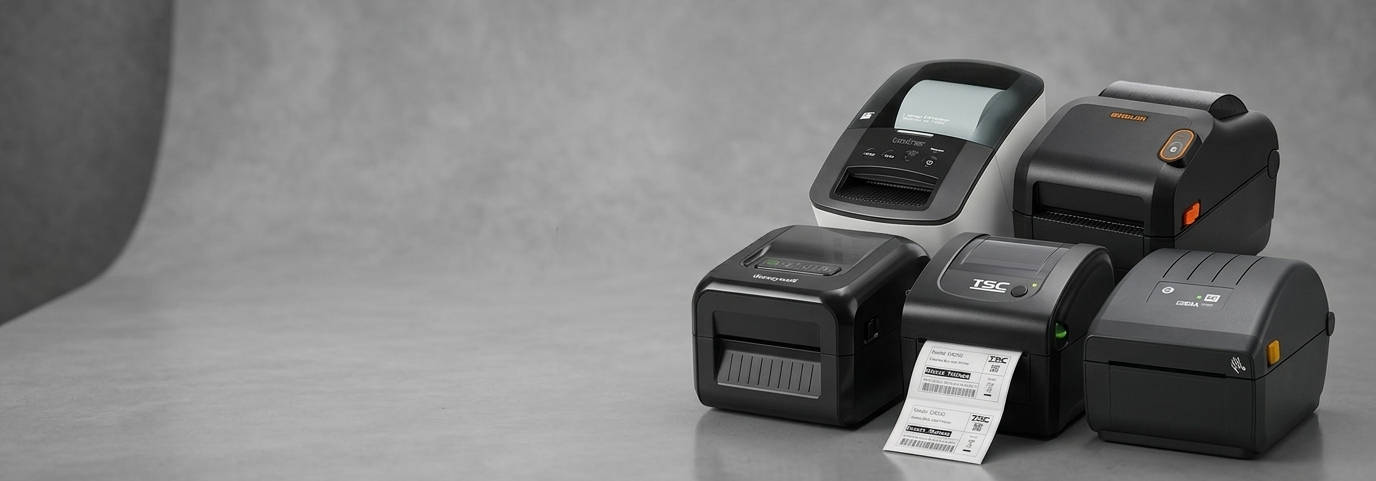
Label Printers AU: Simplify Inventory and Reduce Errors Fast

Introduction: The Hidden Cost of Poor Labelling
Many small businesses in Australia struggle with inventory mistakes, pricing errors, and slow checkout processes. These issues often stem from something simple—unclear or inconsistent labelling.
Manual labelling can lead to mismatched prices, misplaced stock, and wasted time correcting errors. As operations grow, these small inefficiencies quickly turn into bigger challenges that affect customer experience and profitability.
This is where a Label Printer becomes a practical tool rather than just an optional device.
Why Label Printers Matter for Australian Businesses
For small business owners, accuracy and speed are essential. Whether you're running a retail shop, warehouse, or online store, clear labelling keeps operations organised and efficient.
A label printer helps standardise how products are identified, priced, and tracked. This consistency reduces confusion for staff and customers alike.
In Australia’s competitive retail and logistics landscape, even small workflow improvements can make a noticeable difference. Businesses that streamline labelling often find it easier to manage stock, reduce returns, and improve service speed.

Key Benefits of Using Label Printers
1. Improved Accuracy in Inventory
Using Label Printers reduces human error. Printed labels are clear, consistent, and easy to scan, which helps avoid pricing or stock mismatches.
2. Faster Daily Operations
Instead of writing labels by hand, businesses can print multiple labels quickly. This speeds up shelf stocking, order packing, and product identification.
3. Better Customer Experience
Clear labels with accurate pricing and product details help customers make decisions faster. It also builds trust when information is consistent.
4. Easier Compliance
Certain industries in Australia require clear product information, such as barcodes, expiry dates, or batch numbers. Label printers make it easier to meet these requirements.
5. Cost Control Over Time
Although there is an upfront setup, reducing errors and saving staff time can lead to better cost efficiency in the long run.
Important Features to Consider
Print Technology
There are two common types: direct thermal and thermal transfer.
Direct thermal is suitable for short-term labels like shipping tags.
Thermal transfer is better for long-lasting labels, such as asset tags.
Choosing the right type depends on how long your labels need to last.
Print Speed and Volume
Small businesses should consider how many labels they print daily. A higher print speed is useful for busy environments like warehouses or retail chains.
Connectivity Options
Modern Label Printers often support USB, Wi-Fi, or Bluetooth. Wireless options are helpful for flexible setups, especially in compact retail spaces.
Label Size Compatibility
Different businesses need different label sizes. For example:
Retail: price tags and barcode labels
Warehousing: large shipping labels
Healthcare: small, precise identification labels
Ease of Use
Look for devices with simple software and easy setup. Staff should be able to create and print labels without extensive training.
Real-World Use Cases
Retail Stores
Retailers use a label printer to create price tags, barcode labels, and promotional stickers. This ensures shelves are organised, and pricing is consistent across all products.
Warehouses and Logistics
In warehouses, labels are essential for tracking goods. Clear barcode labels help staff quickly locate items and reduce picking errors.
E-commerce Businesses
Online sellers rely on accurate shipping labels. A label printer speeds up order fulfilment and reduces the chances of sending parcels to the wrong address.
Hospitality and Food Services
Cafés and restaurants use labels for food packaging, expiry dates, and takeaway orders. This helps maintain hygiene standards and improve order accuracy.
Healthcare and Pharmacies
Labels are used for prescriptions, patient information, and stock tracking. Accuracy is critical in these environments, making reliable printing essential.
Future Trends and Best Practices
Integration with POS Systems
Many businesses now connect Label Printers with their POS systems. This allows automatic label generation when products are added or updated in the system.
Mobile Printing
Wireless and mobile-friendly printers are becoming more common. Staff can print labels directly from tablets or smartphones, improving flexibility.
Sustainable Labelling
There is a growing shift toward eco-friendly labels and materials. Businesses are exploring ways to reduce waste while maintaining quality.
Cloud-Based Label Management
Cloud software allows businesses to design and store labels centrally. This ensures consistency across multiple locations.
Best Practice Tip
Regularly review your labelling process. Even small adjustments—like improving label design or updating formats—can enhance efficiency.
Practical Tip for Getting Started
If you’re introducing a label printer into your business, start small. Focus on one area, such as pricing or shipping labels, and expand gradually.
It may also help to explore solutions from established POS hardware providers like POS Central to understand available options, but the key is choosing what fits your workflow rather than following trends.
Conclusion
Clear and consistent labelling plays a bigger role in business operations than many realise. From reducing errors to improving workflow, Label Printers offer a simple way to bring structure and efficiency to daily tasks.
For Australian small businesses, adopting the right labelling approach can save time, reduce stress, and create a smoother experience for both staff and customers.
In a fast-moving environment, even small improvements like better labels can lead to meaningful results.
FAQs
1. What is a label printer used for?
A label printer is used to create printed labels for products, shipping, barcodes, and inventory management.
2. Are label printers suitable for small businesses?
Yes, they are especially useful for small businesses looking to improve organisation and reduce manual errors.
3. What type of labels can I print?
You can print price tags, barcode labels, shipping labels, product information labels, and more.
4. Do I need special software to use a label printer?
Most label printers come with simple software, and many can integrate with POS or inventory systems.
5. How do label printers help reduce errors?
They produce clear, consistent labels that are easy to read and scan, reducing the risk of mistakes.
6. Can label printers be used for e-commerce businesses?
Yes, they are widely used for printing shipping labels and managing online orders efficiently.


Comments