
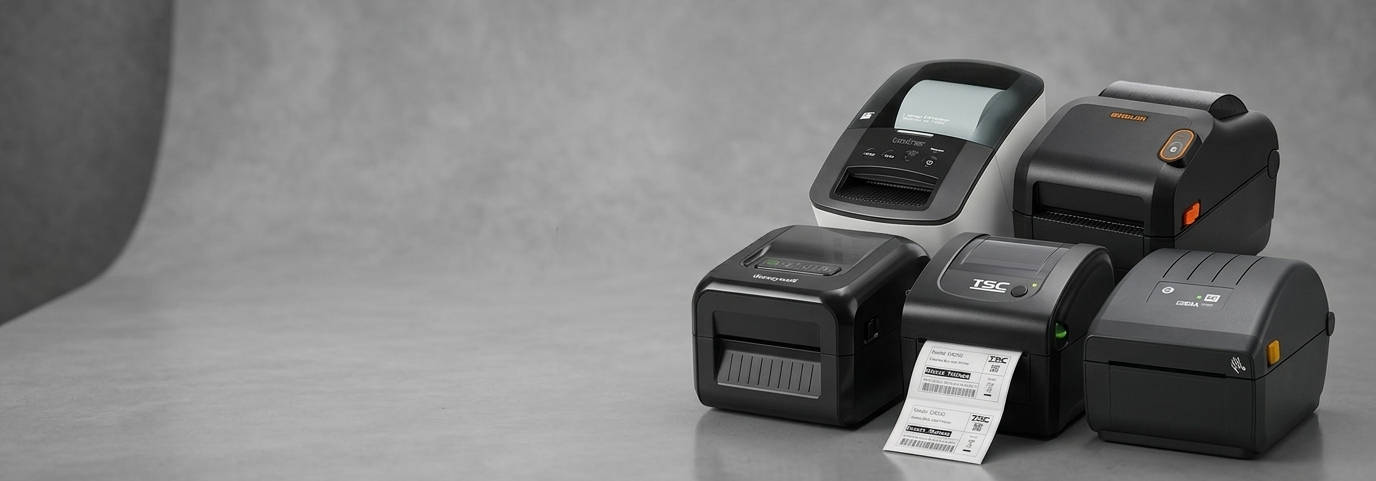
Which Industrial Label Printer Handles High-Volume Printing Best?

Most small businesses start out with a basic desktop label printer. It works fine for a while — a few hundred labels a week, the odd shipping run, some price tags.
Then the business grows. Order volumes climb. A warehouse gets added. Suddenly that same printer is running eight hours a day, jamming under the pressure, or producing smudged barcodes that scanners can't read.
This is a common turning point for Australian retailers, wholesalers, and e-commerce sellers. The question isn't whether to upgrade — it's which type of printer can genuinely handle the workload without becoming another daily headache.
That's where industrial label printers come in.
What Are Industrial Label Printers?
Industrial label printers are built for continuous, heavy-duty printing rather than occasional use. Unlike compact desktop models, they're constructed with metal frames, larger print mechanisms, and components rated for extended duty cycles — often printing thousands of labels per shift without overheating or breaking down.
They typically use either:
Direct thermal printing — heat-sensitive labels with no ribbon required, ideal for shorter-term labels like receipts or shipping tags.
Thermal transfer printing — a ribbon melts onto the label for sharper, longer-lasting print, better suited to barcodes, asset tags, and labels that need to survive handling, moisture, or storage.
Many industrial thermal label printer models support both methods, giving businesses flexibility depending on the label type.

Key Benefits of Industrial Label Printers
Built for Volume
An industrial thermal label printer is designed around duty cycles measured in kilometres of ribbon or thousands of labels per day, not per week.
Sturdier Construction
Die-cast metal frames and reinforced print heads mean these machines tolerate dust, vibration, and constant use — common in warehouses and factory floors.
Faster Print Speeds
Higher throughput reduces bottlenecks at packing stations, especially during peak periods like end-of-financial-year stock runs or holiday dispatch.
Better Connectivity
Most models include Ethernet, USB, Serial, and sometimes Wi-Fi or Bluetooth, making it easier to integrate with existing POS or warehouse management systems.
Lower Cost Per Label Over Time
While the upfront price is higher than a desktop unit, the reduced downtime, fewer replacement units, and lower maintenance frequency often make industrial barcode label printers more economical in the long run.
How This Benefits Australian Businesses
For a small business owner, the real-world impact isn't about specifications — it's about fewer disruptions.
A warehouse label printer that doesn't jam mid-shift means fewer delayed dispatches. A commercial thermal label printer that produces clean, scannable barcodes means fewer picking errors. And equipment that lasts years rather than months means the business isn't repeatedly budgeting for replacements.
This matters more in Australia than some might expect — freight distances are long, and a mislabelled pallet or unreadable barcode can mean a costly reshipment or a compliance issue with a retail partner's labelling standards.
Comparing Industrial Label Printer Options
Feature | Entry-Level Industrial Models | Mid-Range Industrial Models | High-End Industrial Models |
Approx. price range (AU, inc. GST) | $1,300 – $2,000 | $2,000 – $3,000 | $3,000 – $4,000+ |
Print resolution | 203 DPI | 203 or 300 DPI | 300 DPI (some 600 DPI) |
Connectivity | USB, Serial, Ethernet | USB, Serial, Ethernet, Wi-Fi/Bluetooth | Full connectivity plus touch display |
Typical use case | Small warehouses, retail back-of-house | Growing logistics or manufacturing operations | High-throughput distribution centres |
Example brands stocked in Australia | Honeywell, Bixolon | Zebra, TSC, Citizen | Zebra, Honeywell, Brother |
Businesses researching this category will find brands like Zebra label printers, Honeywell label printers, Brother, Citizen, TSC, and Bixolon dominate the Australian market, each with models spanning entry-level to high-output configurations. Suppliers such as POS Central stock this full range side by side, which makes it easier for a business to compare specs like print speed, resolution, and connectivity before deciding what fits their volume.
Real-World Use Cases
Retail back-of-house: A homewares retailer printing shelf and price labels in bulk ahead of a seasonal reset benefits from a printer that won't slow down halfway through a batch run.
Warehousing and logistics: A 3PL provider labelling hundreds of outbound cartons daily needs consistent barcode clarity so scanners at each checkpoint read correctly the first time.
E-commerce fulfilment: An online seller shipping direct-to-consumer orders needs a high volume label printer that can keep pace with daily order spikes without manual intervention.
Manufacturing: A parts manufacturer applying asset or compliance labels to products often needs an industrial inkjet label printer or thermal transfer model, since labels must survive handling, grease, or outdoor storage.
Best Practices and Future Trends
Label printing technology continues to shift toward smarter, more connected hardware. A few trends worth watching:
Cloud and network integration — more models now support remote monitoring, so businesses can track printer status across multiple sites.
RFID-ready printers — increasingly used in logistics and retail for inventory accuracy.
Sustainability-conscious consumables — linerless labels and recyclable ribbon options are gaining traction.
For any business evaluating a purchase, a few practical habits help:
Match the printer's duty cycle to actual daily label volume, not just current needs.
Choose thermal transfer for labels that need durability, direct thermal for short-life labels.
Keep print heads clean and use compatible consumables to protect the warranty.
Conclusion
Choosing the right industrial label printer comes down to matching the machine to the workload. A business printing a few hundred labels a week has very different needs from one running a warehouse floor twelve hours a day. Understanding duty cycle, print method, and connectivity requirements — rather than just price — leads to a far more reliable long-term choice.
FAQs
1. What's the difference between a desktop and an industrial label printer?
Desktop printers suit light, occasional use, while industrial models are built for continuous, high-volume printing with sturdier components and longer duty cycles.
2. Do I need thermal transfer or direct thermal printing?
Direct thermal suits short-term labels like receipts, while thermal transfer is better for labels that need to last longer or resist wear, moisture, or heat.
3. How many labels can an industrial printer handle per day?
This varies by model, but most industrial thermal label printer units are rated for several thousand labels per day, well beyond desktop printer capacity.
4. Are industrial label printers compatible with existing POS or warehouse software? Most modern models support USB, Ethernet, and sometimes Wi-Fi or Bluetooth, allowing integration with common POS and inventory systems.
5. What print resolution do I need for barcodes?
203 DPI is generally sufficient for standard barcodes, while 300 DPI or higher suits smaller text, detailed graphics, or compliance labelling.
6. How do I know when it's time to upgrade from a standard label printer?
Frequent jams, overheating, slow output during peak periods, or degraded print quality under regular use are common signs a business has outgrown its current printer.


Comments