
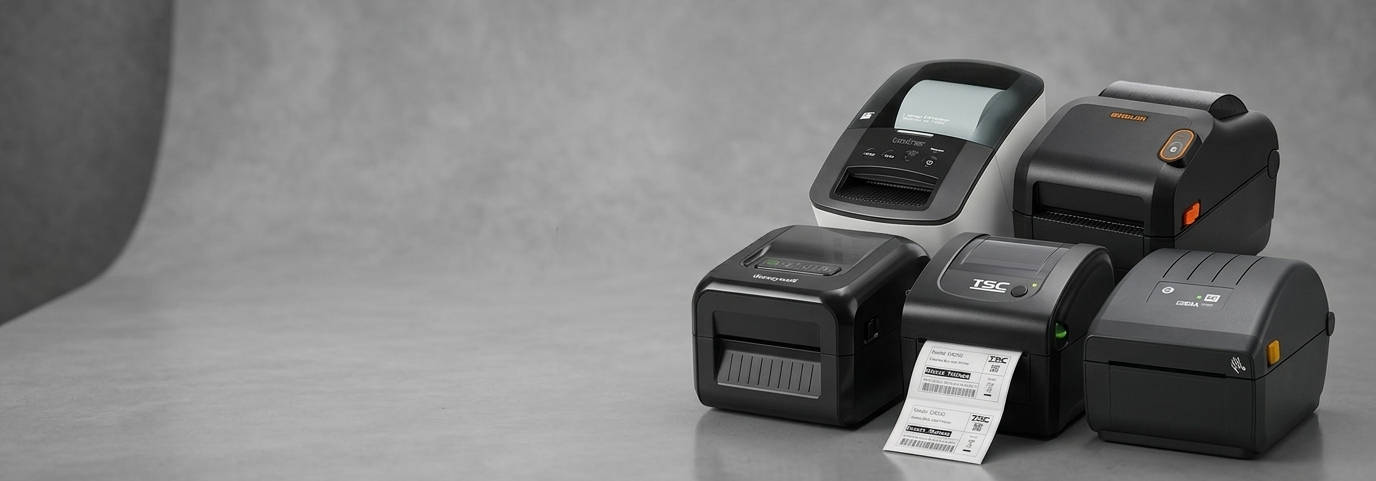
Why Should Your Business Invest in Thermal Label Printers?

Every business that sells, ships, or stores a product eventually runs into the same problem: labels. Price tags fade, shipping labels smudge in the rain, and handwritten stock tags slow down the till. For many Australian small businesses, this isn't a one-off annoyance — it's a daily drain on time and accuracy.
That's where thermal label printers come in. They've quietly become one of the most practical pieces of equipment in retail stores, warehouses, pharmacies, and home-based online shops alike. This article looks at what they are, how they work, and why so many businesses are switching to them.
What Are Thermal Label Printers?
A thermal label printer creates images and text using heat instead of ink or toner. There are two main types:
Direct thermal printers heat specially coated paper directly, producing an image without any ribbon. These labels suit short-term use, like receipts or shipping labels that don't need to last long.
Thermal transfer label printers use a heated ribbon that melts onto the label material, producing sharper, longer-lasting prints. These are the preferred choice for barcodes, product labels, and anything that needs to survive handling, sunlight, or storage over time.
Because thermal transfer label printers don't rely on ink cartridges, they're generally cheaper to run over time and simpler to maintain than standard inkjet or laser printers.

Key Benefits of Thermal Label Printers
Lower running costs: No ink or toner means fewer consumables to buy and replace.
Speed: Most models print labels in a second or two, which matters when processing dozens of orders an hour.
Durability: Thermal transfer prints resist fading, smudging, and moisture — useful for anything stored for months or shipped interstate.
Compact footprint: A desktop thermal printer takes up little counter space, which suits small retail shops and home offices.
Connectivity options: Many current models support USB, Ethernet, Wi-Fi, and Bluetooth, so they fit into almost any existing till or warehouse setup.
How Thermal Label Printers Benefit Businesses
Beyond the technical specs, the real value shows up in daily operations. A commercial thermal label printer reduces manual labelling errors, speeds up checkout and dispatch, and gives products a more consistent, professional look on the shelf.
For growing businesses, this consistency also matters for compliance — correctly printed use-by dates, batch numbers, and barcodes reduce the risk of stock issues or recalls. And because most models are built for continuous daily use, they hold up better under pressure than a standard office printer pressed into service for labelling.
Comparing Providers: What to Look For
Not every supplier offers the same level of support once the printer leaves the box. Here's a general comparison of what businesses typically weigh up when choosing between a dedicated POS hardware supplier and a generic electronics retailer.
Factor | Dedicated POS Supplier (e.g. POS Central) | General Electronics Retailer |
Product range | Wide range across brands and printer types | Limited to a few consumer models |
Local stock & support | Australian-based stock and support teams | Often reliant on overseas suppliers |
Compatibility guidance | Matches printer to POS/software setup | Minimal setup advice |
Consumables (ribbons, labels) | Bulk and business-specific options | Retail packs only |
Warranty handling | Business-focused warranty support | Standard consumer warranty |
The point isn't that one supplier is universally "best" — it's that businesses buying for daily commercial use generally benefit from a supplier who understands POS and labelling workflows, not just printers in general.
Real-World Use Cases Across Industries
Thermal label printers show up in more places than most people expect:
Label printer for retail stores — pricing, barcoding, and shelf labels.
Label printer for small business — invoicing, product labelling, and stocktake tags.
Label printer for warehouses — bin locations, pallet labels, and inventory tracking.
Label printer for shipping — courier labels, address labels, and tracking barcodes.
Label printer for e-commerce — order labels for platforms like Shopify or eBay.
Label printer for food packaging — ingredient lists, allergens, and use-by dates.
Label printer for logistics and label printer for logistics companies — high-volume dispatch labelling.
Label printer for manufacturing — part numbers, batch codes, and asset tags.
Label printer for healthcare — patient wristbands and specimen labels.
Label printer for pharmacies — prescription and dosage labels.
Label printer for supermarkets — fresh produce and weighed-item pricing.
Label printer for industrial use — durable tags for equipment and cabling.
Label printer for schools and label printer for libraries — asset tags and resource barcoding.
Label printer for restaurants — kitchen order tickets and packaging labels.
Label printer for warehouse operations — cycle counting and pick-pack labelling.
Each of these settings has different label sizes, print speeds, and durability needs, which is why printer range and flexibility matter more than chasing a single "best" model.
Matching Products to Business Needs and Budget
Choosing the right thermal label printer usually comes down to volume, label size, and connectivity needs, rather than chasing the lowest price upfront.
Small business or home-based shop: A compact desktop model like the Honeywell PC42E-T suits low-to-moderate volume labelling with USB and Ethernet connectivity.
Retail counters needing colour labels: The Brother VC-500W prints colour labels on demand, useful for promotional pricing or product variety — a practical option for anyone comparing color label printer thermal models.
All-in-one receipt and label needs: The Sunmi NT320 combines receipt and label printing with Wi-Fi and Bluetooth, suited to mobile or flexible checkout setups.
Mid-volume industrial labelling: The TSC TE210 and Bixolon XD3-40TEK models offer solid throughput for warehouses and small manufacturing lines.
High-volume commercial use: The Zebra ZD220T and Zebra ZD411 are built for continuous daily printing in busier retail or logistics environments.
Specialised or linerless labelling: The Epson TM-L90II suits food service and hospitality, where linerless labels reduce waste.
Rugged or extended-use environments: The CITIZEN CL-E321 range, Bixolon SLP-TX400, and Aures ODP333 are aimed at businesses needing reliable, continuous-duty printers.
Rather than searching for the cheap thermal label printer with the lowest sticker price, it's worth weighing print volume against running costs — a slightly higher upfront cost often pays off in fewer breakdowns and cheaper consumables.
Comparing Thermal Label Printer Brands
Brand | Typical Price Tier | Notable Features | Compatibility |
Sunmi | Budget–mid | Combined receipt/label printing, wireless options | Android POS systems |
BIXOLON | Mid | Reliable print engines, multiple interface options | Most POS software |
Mid–premium | High durability, industrial-grade output | Broad POS/ERP compatibility | |
Mid | Linerless options, hospitality-friendly | POS and kitchen systems | |
CITIZEN | Mid | Compact, dependable, good for retail | Standard POS integration |
Honeywell | Budget–mid | Simple setup, dependable for small business | Entry-level POS systems |
Brother | Mid | Colour printing capability | Direct USB/desktop use |
TSC | Budget–mid | Straightforward industrial labelling | Warehouse/inventory systems |
This gives a general sense of where each best thermal label printer Australia shoppers consider tends to sit — but the right pick still depends on label volume, size, and how the printer connects to existing POS or inventory software.
Future Trends and Best Practices
Wireless connectivity is becoming standard rather than optional, letting printers sit anywhere in a store or warehouse instead of being tied to a till. Linerless labelling is also gaining traction, particularly in food service, as businesses look to cut packaging waste.
A few practical habits help printers last longer: clean the print head regularly, store label rolls away from direct sunlight and humidity, and match label and ribbon types to the specific printer model rather than mixing generic supplies.
Conclusion
Thermal label printers aren't a flashy purchase, but they solve a real, recurring problem for Australian businesses — accurate, fast, professional labelling without the ongoing cost of ink or toner. Whether it's a single desktop thermal printer on a retail counter or a fleet of thermal transfer label printers running through a warehouse, the right setup saves time and reduces errors across daily operations. Suppliers such as POS Central stock a range of these printers across different brands and budgets, which makes it easier to compare options against actual business needs rather than guesswork.
Frequently Asked Questions
1. What's the difference between direct thermal and thermal transfer printing?
Direct thermal prints directly onto heat-sensitive paper and suits short-term labels. Thermal transfer uses a ribbon for longer-lasting, more durable prints.
2. Are thermal label printers expensive to run?
They're generally cheaper to run than inkjet or laser printers since there's no ink or toner — only labels and, for thermal transfer models, ribbons.
3. Can a small business use the same printer for shipping and retail labels?
Many desktop models handle both, provided the label sizes and print volumes fit within the printer's specifications.
4. Do thermal labels fade over time?
Direct thermal labels can fade with heat or sunlight exposure over months. Thermal transfer labels resist fading and handling far better.
5. What should I check before buying a thermal label printer?
Confirm label size compatibility, connectivity (USB, Ethernet, Wi-Fi, Bluetooth), expected daily print volume, and whether it integrates with your existing POS or inventory software.
6. Is a colour label printer necessary for most businesses?
Not usually. Most commercial labelling — barcodes, pricing, shipping — works fine in monochrome. Colour models are more useful for promotional or specialty labelling.


Comments