
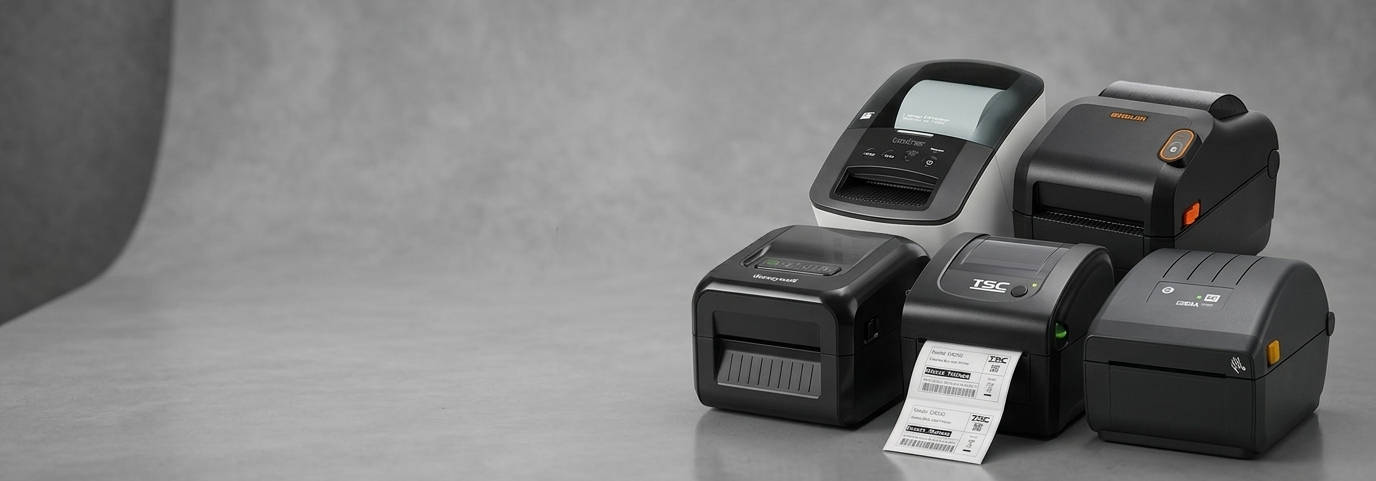
Which Label Printer Suits Your Business Best?

If you've ever watched a staff member hand-write a price tag or peel off a crooked barcode sticker, you already know why so many Australian businesses are switching to dedicated printing hardware. A label printer takes the guesswork out of packaging, pricing, and shipping, turning a task that used to eat up hours into something that takes seconds.
What Are Label Printers?
At the simplest level, label printers are devices built to produce adhesive labels quickly and consistently — think barcodes, shipping tags, price stickers, and product identifiers. Unlike a standard office printer, they're designed to handle roll-fed media, work at speed, and hold up to daily use in a warehouse, retail counter, or dispatch area. Many models also double as general-purpose pos printers, handling receipts and labels from the same unit depending on the business setup.
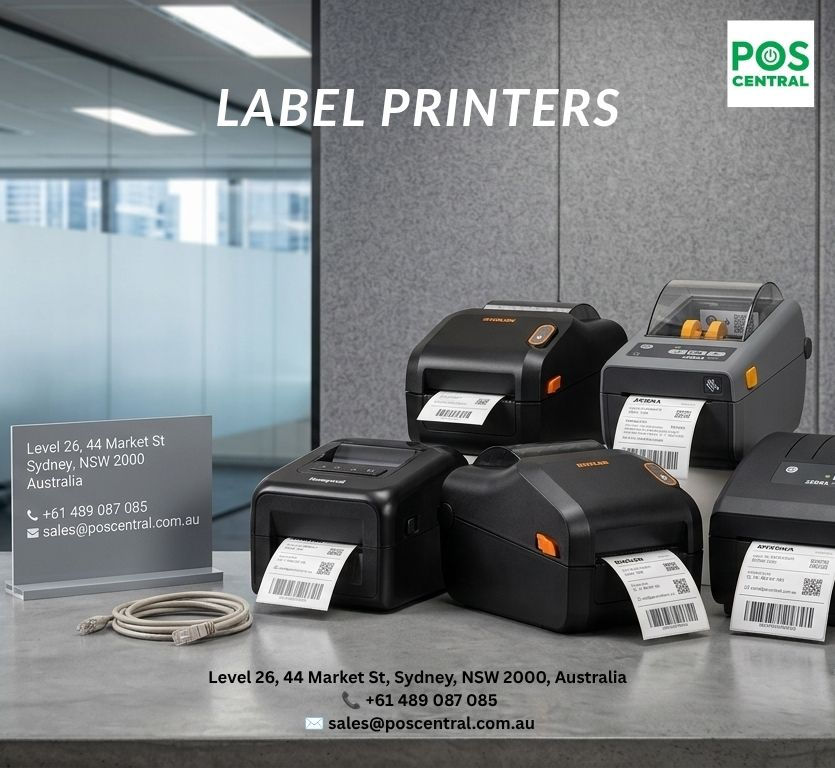
Types of Label Printers Available Today
Not every business prints the same volume or style of label, which is why manufacturers offer several distinct categories:
Direct thermal label printers – no ink or ribbon required, ideal for shipping and short-shelf-life labels
Thermal transfer label printers – use a ribbon for labels that need to survive heat, moisture, or long storage
Industrial label printers – built for high-volume, round-the-clock production lines
Mobile and wireless units – lightweight printers for on-the-go stock counts or delivery labelling
Desktop pos label printers – compact machines suited to small retail counters and back offices
Each category serves a different rhythm of business, and picking the wrong one usually shows up later as either wasted spend or a bottleneck at the counter.
Comparing Label Printers: Price, Features & Availability
Price range widely depending on print speed, resolution, and connectivity. Entry-level desktop models are the most affordable and suit low-volume printing, while high end label printers with faster engines, higher DPI, and industrial-grade housings sit at the top of the range for businesses printing thousands of labels daily.
When comparing options, it helps to weigh:
Print volume – how many labels per day or per shift
Connectivity – USB, Ethernet, Bluetooth, or Wi-Fi
Durability – plastic housing versus metal industrial casing
Availability – in-stock models ship faster than special-order units
Businesses with unpredictable order volumes often lean toward mid-range models that balance cost with flexibility, rather than committing to the cheapest or the most powerful option upfront.
Which Businesses Actually Need a Label Printer?
Almost any business that sells, ships, or stores physical products benefits from having one on hand. That includes retail stores, cafes and restaurants, pharmacies, warehouses, manufacturers, logistics companies, and online sellers who fulfil their own orders. Even service-based businesses sometimes need them for asset tagging or inventory tracking. If a business currently relies on handwritten tags or an inkjet printer for labelling, it's usually a sign that a purpose-built unit would save time and reduce errors.
Where in Australia Is Demand Highest?
Naturally, demand tends to track population and commercial density. Major metro hubs like Sydney, Melbourne, and Brisbane account for a large share of orders, driven by dense retail and logistics activity. Perth and Adelaide follow closely, largely due to mining-adjacent industrial operations and growing e-commerce warehouses. Regional pockets in Queensland and Western Australia also show steady interest, often linked to agriculture and freight businesses that need durable, weather-resistant labelling for produce and pallets.
How Label Printers Benefit Any Business
The return on investment isn't just about convenience. A dedicated printer:
Cuts down manual labelling time significantly
Reduces costly barcode scanning errors at checkout or dispatch
Improves the professional appearance of packaging and shelf tags
Supports compliance where product tracking or expiry dating is required
Pays for itself over time through lower consumables and labour costs
For growing businesses, this efficiency compounds — what feels like a small time saving per label adds up fast across hundreds of daily transactions.
Factors to Consider Before You Buy
Before settling on a specific label printer, it's worth thinking through a few practical questions: What's the expected print volume? Will labels need to survive outdoor conditions or refrigeration? Does the existing POS software integrate with the printer's drivers? Is there room on the counter, or does the printer need to be wall-mounted or portable? Budget matters too, but the cheapest unit isn't always the most cost-effective once ribbon costs, maintenance, and downtime are factored in.
How to Use a Label Printer
Getting started is usually straightforward. After connecting the printer via USB, Ethernet, or Bluetooth, most businesses install the manufacturer's driver and configure label size and print density through the accompanying software. Loading media involves feeding the roll through the internal guide and calibrating the sensor so the printer recognises each label's start point. From there, print jobs can be triggered directly from POS software, inventory systems, or a connected barcode scanner workflow. Routine cleaning of the print head and rollers keeps output sharp and extends the hardware's lifespan.
The Buying Process, Step by Step
A sensible buying journey usually looks like this: identify daily label volume and label size requirements, shortlist two or three models that match that volume, compare warranty terms and after-sales support, and check stock availability before committing. Many Australian buyers also compare pos printers australia suppliers directly for freight timelines, since a printer sitting in an overseas warehouse can delay setup by weeks. Once a model is chosen, it's worth confirming that compatible ribbons or label stock are easy to reorder locally.
FAQs
1. What's the difference between direct thermal and thermal transfer printing?
Direct thermal uses heat-sensitive paper with no ribbon; thermal transfer uses a ribbon for longer-lasting labels.
2. Can one printer handle both receipts and labels?
Some models can, but dedicated label printers generally produce sharper barcodes and better label alignment.
3. How often do print heads need replacing?
With regular cleaning, a print head typically lasts one to two years under normal daily use.
4. Do label printers work with any POS system?
Most support common POS software via standard drivers, though it's worth checking compatibility before purchase.
Choosing the right printer comes down to matching the machine to how a business actually operates day to day — not just picking the fastest or cheapest model on the shelf.


Comments