
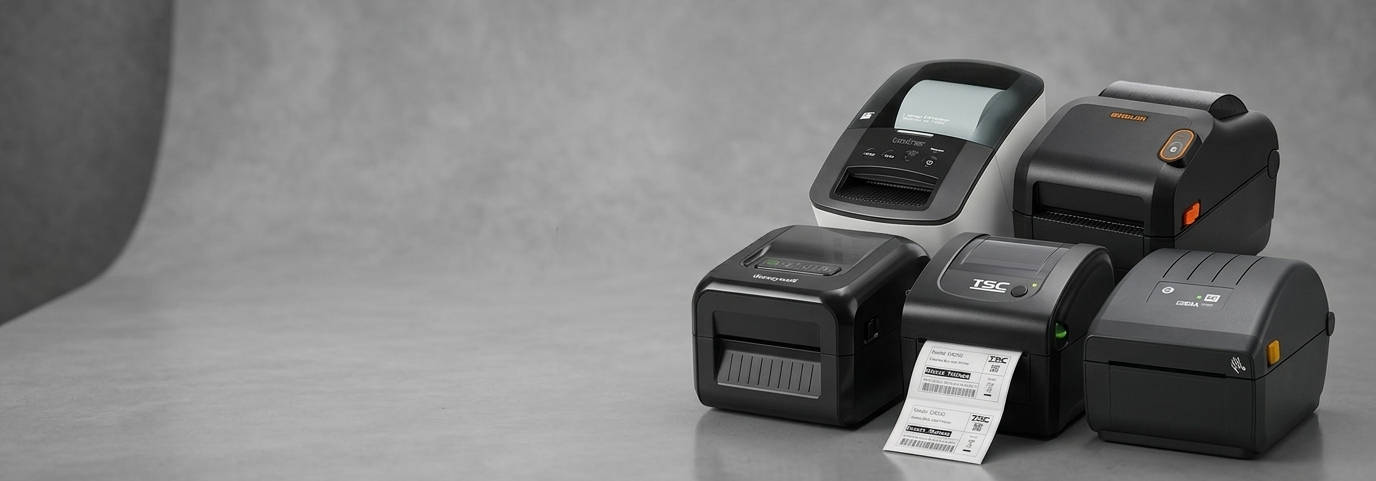
Industrial Label Printers: How to Pick the Right Machine for Your Warehouse (Without Wasting Money)

A warehouse manager in Western Sydney once told me his team was printing close to 4,000 shipping labels a day on a desktop printer meant for a small retail counter. It worked — for about three months. Then the print head started skipping lines, the plastic housing cracked from being run non-stop, and the whole operation ground to a halt during a peak dispatch week. He hadn't done anything wrong, exactly. He just hadn't realised that a regular label printer and an industrial label printer are built for two completely different jobs.
This mix-up happens more often than people expect. Businesses buy printers the way they buy most office equipment — based on price and how it looks — without asking whether the machine can actually survive the environment it's going into. And in warehouses, manufacturing floors, and logistics hubs, that environment is unforgiving: dust, constant vibration, back-to-back shifts, and print volumes that a retail-grade printer was never designed to handle.
Why "Industrial" Actually Means Something Here
Not every label printer that looks tough is actually built tough. A genuine industrial thermal label printer is engineered around three things a desktop unit isn't: duty cycle, ribbon/media capacity, and housing durability. Where a retail printer might be rated for a few hundred labels a day, an industrial machine is built to run for hours without stopping, often with metal internal frames instead of plastic, larger ribbon spools so operators aren't reloading every hour, and print engines rated for tens of kilometres of label output per month.
This is really the dividing line to understand before you spend anything: are you printing a few labels here and there, or are you running a line? If it's the latter, a standard printer isn't a cost-saving choice — it's a slow-motion expense, because you'll be replacing it (and losing production time) far sooner than you'd like.

Common Mistakes Businesses Make When Choosing One
1. Buying on price alone, without checking duty cycle: The cheapest option on the page often has the lowest print volume rating. If your actual daily output is higher than what the printer is built for, you're not saving money — you're pre-paying for an early replacement.
2. Ignoring connectivity needs: A lot of industrial floors run mixed systems — some stations on Ethernet, some needing serial for legacy scales or scanners, some wanting Wi-Fi for mobile picking stations. Buying a printer with only one connection type can quietly limit how it fits into your setup later.
3. Overlooking resolution for the label size: 203dpi is perfectly fine for standard shipping and carton labels. But if you're printing small barcodes, fine text, or compliance labels with dense information, 300dpi (or higher) prevents scan failures down the line — which is a much bigger cost than the printer itself.
4. Not accounting for ribbon and consumable costs: Thermal transfer printers need ribbon; direct thermal ones don't, but their labels fade with heat and sunlight exposure over time. For long-term archival labels (asset tags, compliance labels), thermal transfer almost always wins despite the extra consumable cost.
Comparing the Machines: Which Industrial Label Printer Machine Fits Which Job
Below is a practical side-by-side of the current industrial range, based on what each machine is actually built for — not just the spec sheet.
Printer | Price (Inc GST) | Resolution | Connectivity | Best Suited For |
Honeywell PD45S | $1,369.00 | 203dpi | Ethernet, USB, RS-232 | Entry point into industrial printing — compact, rugged, dual sensors, good for businesses stepping up from desktop printers |
Bixolon XT2-40 | $1,500.00 | 203dpi | USB, Serial, Ethernet | Logistics and retail back-of-house label runs needing solid speed without a big footprint |
Citizen CL-E720 | $1,699.00 | 203dpi | USB, Ethernet | Mixed direct thermal / thermal transfer use where flexibility matters more than raw speed |
$1,789.00 | 203dpi | USB, Serial, Ethernet | The industry-standard workhorse — reliable, well-supported, ideal for moderate continuous-run environments | |
$1,789.00 | 203dpi | Ethernet, USB, Serial | High-volume applications — 450m ribbon capacity and 2-year warranty reduce reload frequency and downtime risk | |
$1,919.00 | 203dpi | USB, Ethernet, Serial | Operators who want a colour LCD interface for faster on-floor troubleshooting and setup changes | |
$1,989.00 | 300dpi | USB, Serial, Parallel | Fine-detail labels — small barcodes, dense compliance text, asset tags needing sharp resolution | |
$2,359.00 | 203dpi | USB, Serial, Ethernet | Die-cast rugged build for tougher environments — dust, vibration, heavier daily use | |
Brother TJ-4522TN | $3,629.00 | 300dpi | Ethernet, USB, Serial | Heavy-duty, high-volume printing with an internal rewinder — built for 24/7 industrial lines |
A rough way to read this table: the Honeywell PD45S and Bixolon XT2-40 suit businesses just moving off desktop printers. The Zebra ZT230 and Brother TJ-4020TN sit in the sweet spot most warehouses actually need — dependable, mid-volume, well-supported by technicians Australia-wide. The Citizen CL-S703II and Brother TJ-4522TN are for jobs where either resolution or sheer volume can't be compromised on.
What to Check Before You Buy
1. Match the printer to your daily label count, not your current one If your business is growing, size up. An industrial printer bought for today's volume that's already near its ceiling will need replacing within a year.
2. Confirm ribbon and label compatibility early Not every ribbon width or core size fits every printer. Getting this wrong after purchase means reordering consumables — an avoidable delay.
3. Ask about local support and warranty Industrial printers run for years, not months. A 2-year warranty and access to Australian-based technicians matters more here than it does for a standard receipt printer, because downtime on a production line is expensive in a way a slow retail printer isn't.
A high-performance industrial printer isn't really defined by its top print speed on a spec sheet — it's defined by how consistently it performs after the sixth month, under real warehouse conditions, when the ribbon roll is nearly out and the shift hasn't slowed down. Choosing the right one from the start is a lot cheaper than finding out the hard way, like that Western Sydney warehouse manager did.
If you're not sure which model fits your print volume, label size, or connectivity setup, POS Central's team can help match the right industrial thermal transfer printer to your operation — call +61 489 087 085 or browse the full Industrial Label Printers range.


Comments