
Why Kiosk Printers Support Smooth Self-Service Systems

Updated: May 7
Self-service technology is becoming a normal part of everyday retail and service environments across Australia. From quick-service restaurants to parking systems and ticketing counters, customers now expect fast and independent service. This is where Kiosk Printers play a key role.
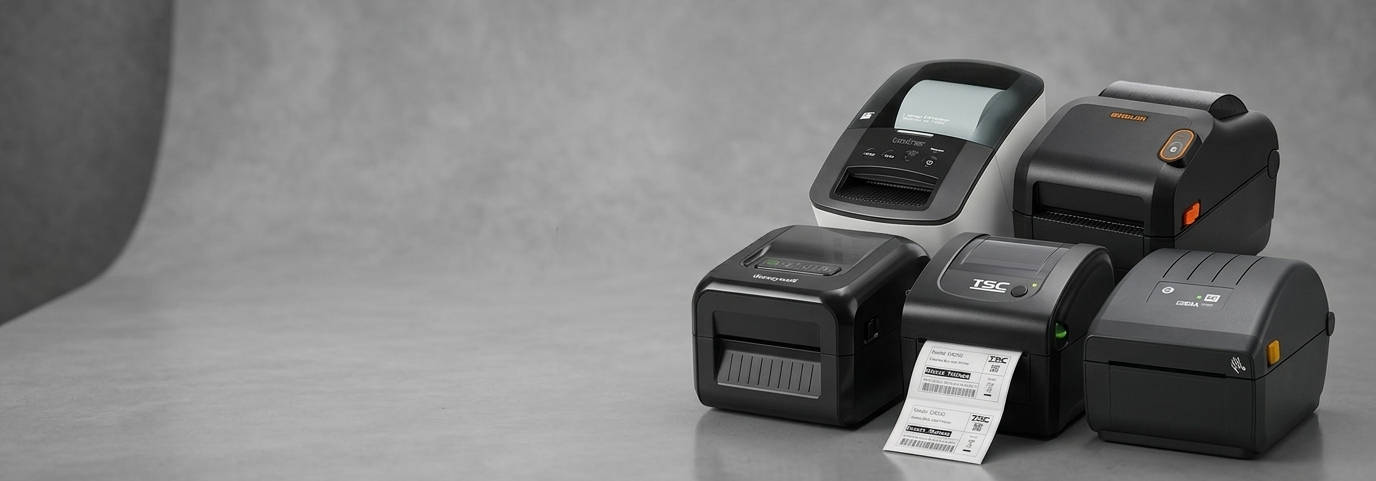
Kiosk printers are compact, built-in devices designed to print receipts, tickets, or order confirmations within self-service machines. Unlike traditional printers, they are engineered to operate continuously with minimal supervision. Many businesses rely on Kiosk Receipt Printers or Kiosk Thermal Receipt Printers because they are efficient, quiet, and require less maintenance.
For small business owners, understanding how these printers support daily operations can make a noticeable difference in customer satisfaction and workflow efficiency.
Why Kiosk Printers Matter for Retailers
Faster Customer Service
Speed is critical in retail and hospitality. Kiosk printers allow customers to complete transactions without waiting in long queues. For example, a café using a self-order kiosk can reduce peak-hour congestion by letting customers place and print their orders independently.
Reduced Staff Workload
Small businesses often operate with limited staff. By integrating Kiosk Thermal Receipt Printers, businesses can shift repetitive tasks like printing receipts to automated systems. This frees up staff to focus on customer interaction and service quality.
Improved Accuracy
Manual order-taking can lead to mistakes. Self-service kiosks paired with reliable printing systems reduce errors by directly capturing and printing customer input. This is especially useful in environments like cinemas or fast-food outlets.
Real-Life Examples from Australian Businesses
Across Australia, many small businesses are already benefiting from kiosk-based systems:
Quick-service restaurants in cities like Sydney and Melbourne use kiosks to handle large customer volumes during lunch hours.
Parking facilities rely on kiosk printers to issue tickets quickly and consistently.
Retail stores use self-checkout kiosks to streamline purchases and reduce checkout times.
In each of these cases, Kiosk Printers are increasing average order value, as customers spend more time exploring and working behind the scenes to ensure transactions are completed smoothly.
Real Growth with POS Systems: What the Data Shows
The adoption of self-service kiosks and POS systems has grown rapidly in recent years. Studies indicate:
Businesses using self-service kiosks can see order processing speeds improve by up to 30%.
Retailers adopting automated POS solutions often report higher customer throughput during peak hours.
Self-service technology can contribute to increased average order value, as customers take more time to explore options.
When integrated with dependable Kiosk Receipt Printers, these systems create a seamless experience that benefits both customers and business owners.

Popular Kiosk Printer Options for Small Businesses
When choosing a kiosk printer, reliability and compatibility are key factors. Many businesses explore solutions like Epson Receipt Printers, which are widely used in self-service environments.
Epson Kiosk Printer Range
Models such as Epson Kiosk Printers are designed specifically for embedded systems.
They offer:
Compact design for easy installation
High-speed thermal printing
Durable components for long-term use
Epson EU-M30: A Practical Example
The Epson EU-M30 is a well-known option in this category. It is often used in kiosks due to its:
Flexible mounting options
Clean and simple design
Consistent print quality
Solutions like Epson Kiosk Receipt Printers are commonly seen in industries that require reliable and frequent printing, such as ticketing and retail.
Key Features to Look for in Kiosk Printers
1. Durability
Kiosk printers often run continuously throughout the day. Choosing a device built for high usage ensures fewer interruptions.
2. Print Speed
Fast printing improves customer flow, especially during busy periods.
3. Easy Maintenance
Look for printers with simple paper loading and minimal servicing requirements.
4. Compact Design
Space inside kiosks is limited. Compact printers like Epson Kiosk Printers are easier to integrate.
5. Connectivity Options
Compatibility with your POS system is essential. Ensure the printer supports your existing setup.
How Kiosk Printers Improve Customer Experience
A smooth self-service system depends on every component working together. Kiosk Thermal Receipt Printers contribute by:
Providing instant transaction confirmation
Reducing waiting times
Enhancing trust through clear and accurate receipts
For example, in a busy food court, a customer placing an order through a kiosk expects a quick printout. A delay or error can disrupt the entire experience. Reliable Kiosk Receipt Printers help avoid such issues.
Future Trends in Kiosk Printing Technology
As technology evolves, kiosk printers are also improving. Here are some trends to watch:
Contactless Integration
Kiosks are increasingly linked with contactless payments, requiring printers to handle faster transaction cycles.
Cloud-Based POS Systems
Modern POS systems are moving to the cloud, making it easier to manage multiple kiosks across locations.
Eco-Friendly Printing
Thermal printing already reduces the need for ink. Future models may focus further on energy efficiency and sustainable materials.
Smarter Diagnostics
Advanced printers can now detect issues early and alert users, reducing downtime.
These developments will continue to make Kiosk Printers more efficient and easier to manage for small businesses.
FAQs
1. What are kiosk printers used for?
Kiosk printers are used to print receipts, tickets, or order confirmations in self-service machines.
2. Are kiosk printers suitable for small businesses?
Yes, they are ideal for small businesses looking to improve efficiency and reduce manual workload.
3. What is the difference between kiosk printers and regular receipt printers?
Kiosk printers are designed for embedded systems and continuous use, while regular printers are typically used at checkout counters.
4. Do kiosk printers require a lot of maintenance?
Most Kiosk Thermal Receipt Printers require minimal maintenance, mainly paper replacement and occasional cleaning.
5. Why are Epson kiosk printers commonly used?
Epson Receipt Printers are known for their reliability, compact design, and consistent performance in self-service environments.
6. Is the Epson EU-M30 suitable for modern kiosks?


Comments