
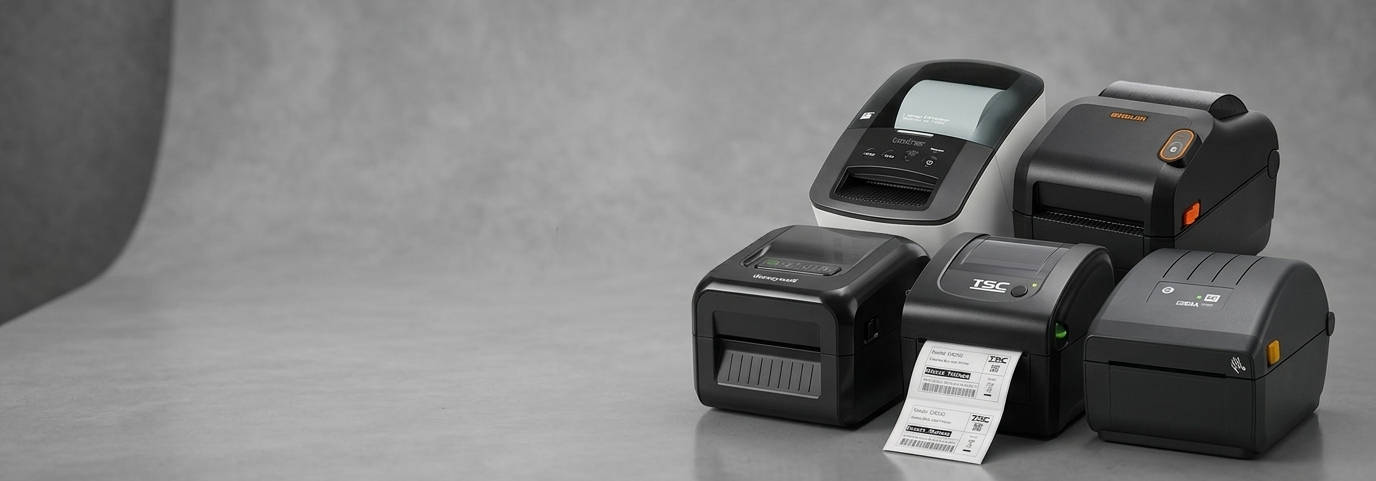
Easy-to-Use Receipt Printers for POS & Office Billing

Running a store or office means handling bills every day. Customers expect quick receipts, and staff need a system that works without confusion. This is where an easy-to-use receipt printer becomes essential. Whether it’s a busy retail counter or a small office desk, the right printer saves time, avoids errors, and keeps daily work smooth. In Australia, businesses are increasingly choosing simple and reliable receipt printers that fit both POS systems and office billing needs.

What Is a Receipt Printer?
A receipt printer is a compact device designed to print bills, invoices, or order slips. Unlike regular printers, it focuses on speed and clarity rather than large documents. Many people also call it a docket printer, especially in retail and food outlets.
There are different types of receipt printers:
Thermal receipt printer: Prints using heat on special paper. It is fast, quiet, and widely used.
Impact receipt printer: Uses ink ribbons and works well for duplicate copies, though it is less common today.
Mobile or wireless receipt printer: Ideal for delivery staff or temporary counters where movement is needed.
People often confuse a pos printer with a regular receipt printer. A POS printer is simply a receipt printer designed to work closely with billing systems at checkout points.
Receipt Printers vs POS Printers vs Docket Printers
The difference is mostly in usage, not function. A pos receipt printer is used at checkout counters. A docket printer usually prints kitchen orders or internal slips. All of them fall under the wider category of receipt printers, with small design changes based on where they are used.
Why Thermal Receipt Printers Are Ideal for POS & Offices
A thermal receipt printer is the most popular choice today. It prints quickly and does not require ink, which makes it easy to maintain. Offices prefer it because there are fewer interruptions. Retail stores like it because it keeps queues moving.
Other benefits include:
Clean and sharp print
Low running costs
Quiet operation
Compact size for small counters
For businesses looking at thermal receipt printer officeworks options, ease of setup and daily use is often the biggest deciding factor.
Receipt Printers for POS Systems
In retail shops, supermarkets, and restaurants, speed matters. A reliable pos printer ensures customers receive their bills instantly. A good POS receipt printer also connects smoothly with billing software and card machines.
Restaurants use receipt printers for front counters and kitchens. Supermarkets rely on them for fast billing during peak hours. In all these cases, a dependable printer reduces waiting time and improves customer satisfaction.
Receipt Printers for Office Billing
Receipt printers are not limited to shops. Offices, service centers, and warehouses use them for invoices and payment slips. Small offices benefit from a simple receipt printer australia businesses trust for daily billing.
Office users usually look for easy connection with computers and accounting tools. A compact design helps save desk space, while stable printing avoids paper jams during busy hours.
Receipt Printer Officeworks & Australian Market Overview
When searching for a receipt printer officeworks style option, Australian buyers usually focus on quality and support. The local market prefers printers that handle frequent use without trouble. Businesses also value clear warranty terms and easy access to paper rolls.
Demand for pos printer officeworks solutions continues to grow as more small businesses adopt digital billing. Choosing a printer that suits local business needs ensures better long-term value.
Key Features to Look for in an Easy-to-Use Receipt Printer
Before buying, it helps to know what really matters:
Print speed: Faster printing keeps lines short.
Connectivity: USB, Bluetooth, or Ethernet options allow flexible setup.
Paper width: Common sizes help avoid supply issues.
Durability: A strong build handles daily use without breakdowns.
These features make receipt printers reliable for both POS counters and office desks.
How to Choose the Right POS Printer
Choosing between a POS printer and a thermal receipt printer depends on usage. If the printer runs all day at checkout, a POS-focused model works best. For shared office use, a standard thermal receipt printer is often enough.
A simple checklist helps:
Does it match your billing software?
Is it easy to load paper?
Does it fit your counter or desk space?
These questions guide buyers toward the right choice.
Common Use Cases & Industries
Receipt printers support many industries:
Retail: Quick billing and smooth checkout
Hospitality: Orders, bills, and kitchen slips
Corporate offices: Invoices and payment records
Logistics: Dispatch slips and service counters
Each setting benefits from a printer that works without delays.
Easy-to-use receipt printers play a key role in keeping POS systems and office billing efficient. By choosing a printer that matches daily needs, businesses can improve workflow, reduce stress, and serve customers better. A thoughtful purchase today ensures smoother operations tomorrow with support from POS Central.


Comments