
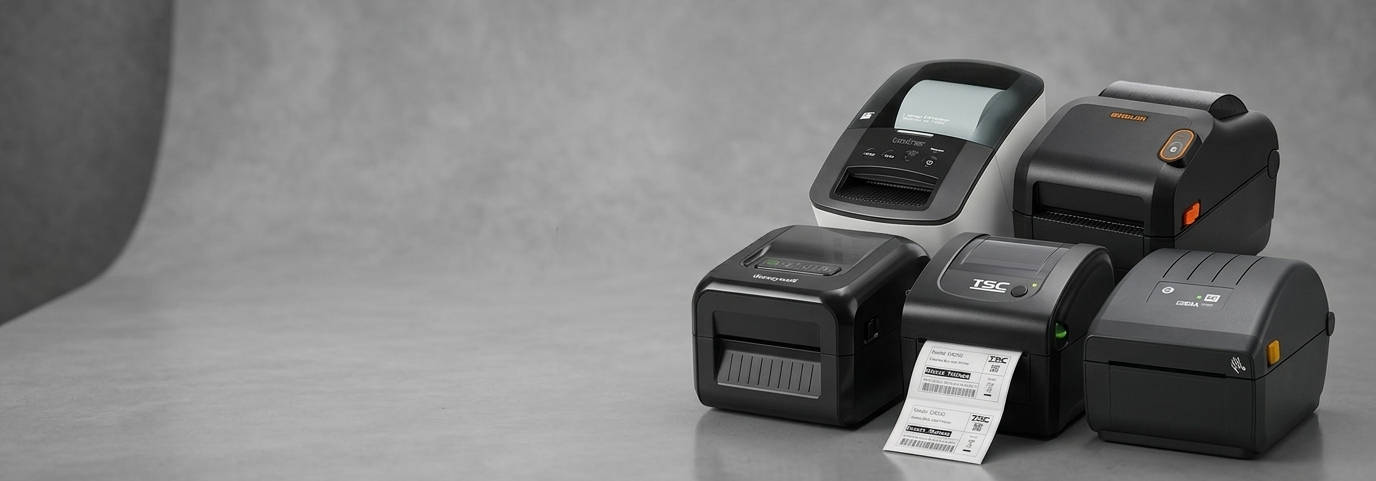
Best Docket Printers for High-Speed POS & Receipt Printing

Running a business means serving customers quickly and smoothly. One small delay at the billing counter can affect customer experience. This is where a reliable docket printer plays a key role. Whether you run a retail store, café, or office billing desk, choosing the right receipt printer helps keep daily operations fast and stress-free.
In today’s busy market, high-speed POS receipt printing is no longer optional. It is a basic need for businesses that value time, accuracy, and customer satisfaction.

What Is a Docket Printer & How It Works
A docket printer is a type of receipt printer used to print bills, order slips, and transaction records at checkout counters. It works by printing details like item names, prices, and totals on paper rolls.
Many modern businesses prefer a thermal receipt printer because it prints without ink. It uses heat on special paper, which keeps printing fast and clean. Compared to regular printers, a pos printer is designed for quick and repeated use throughout the day.
While people often use the terms receipt printer, pos receipt printer, and docket printer interchangeably, they all serve the same goal: fast and clear billing at the point of sale.
Why Businesses Prefer Docket Printers for POS
Businesses choose docket printers for several practical reasons:
Speed
A good pos printer prints receipts in seconds, helping reduce queues during busy hours.
Accuracy
Clear printing ensures customers can read prices, taxes, and totals without confusion.
Low Maintenance
Thermal models do not require ink or toner, making them easier to manage over time.
Cost Efficiency
Less maintenance and faster operation help businesses save money in the long run.
These benefits make receipt printers ideal for daily POS use.
Key Features to Look for in a High-Speed Docket Printer
Before choosing a printer, it is important to focus on features that match your business needs.
Print Speed: Faster printing helps manage peak-hour rush.
Connectivity: Options like USB, Bluetooth, or network support allow smooth connection with POS systems.
Paper Compatibility: Ensure it supports standard thermal paper rolls.
POS Software Support: The printer should work well with popular billing systems used in stores and offices.
A reliable pos receipt printer balances speed, clarity, and ease of use.
Docket Printer vs Receipt Printer vs POS Printer
In simple terms, all these printers serve similar purposes but are named based on usage.
A docket printer focuses on printing bills and order slips.
A receipt printer is a general term used for billing printouts.
A pos printer connects directly with POS systems for real-time billing.
Retailers shopping for a receipt printer officeworks, pos printer officeworks option usually look for a compact size, quick printing, and reliable performance.
Best Use Cases for Docket Printers
Docket printers fit well into many business environments:
Retail Stores
Fast printing helps manage customer flow during sales and peak hours.
Restaurants & Cafés
Order dockets help kitchens and billing counters work smoothly together.
Offices & Billing Counters
Offices benefit from neat and readable receipts for records and payments.
Officeworks-Style Environments
Shops that need simple, efficient billing often choose compact pos printers that save counter space.
How to Choose the Right Docket Printer
Choosing the right printer depends on a few simple factors.
Business Size
Small shops may need compact models, while large stores benefit from faster printers.
Receipt Volume
High-volume businesses should invest in durable receipt printers built for constant use.
Budget & Growth
Choose a printer that fits your budget and can support future expansion.
Looking at long-term needs helps avoid frequent upgrades.
Maintenance & Longevity Tips
Proper care helps extend the life of your printer.
Use good-quality thermal paper.
Keep the printer clean and dust-free.
Avoid pulling paper forcefully.
Place the printer in a stable, dry area.
Simple habits can keep your thermal receipt printer running smoothly for years.
Frequently Asked Questions
Is a docket printer the same as a receipt printer?
Yes, both print billing details, but the name often depends on how the business uses it.
Are thermal receipt printers better for POS?
Yes, they are faster, cleaner, and easier to maintain than ink-based printers.
Which POS printers work best for offices?
Compact and quiet pos printers with easy connectivity work well for office billing needs.
A high-speed receipt printer improves checkout efficiency, reduces wait times, and supports smooth daily operations. By understanding your business needs and choosing the right features, you can invest confidently in a printer that supports growth and customer satisfaction. For businesses looking for reliable POS printing solutions, POS Central offers practical options designed to meet real-world needs.


Comments