Which ID Card Printer Should Your Australian Office Actually Buy?

You've got a new hire starting Monday and no way to badge them in. Or maybe it's the third week of term, and the school office is still handing out laminated paper visitor tags because the old card printer finally gave up. Either way, you're now shopping for something you probably haven't thought about since the last one broke: an ID card printer.
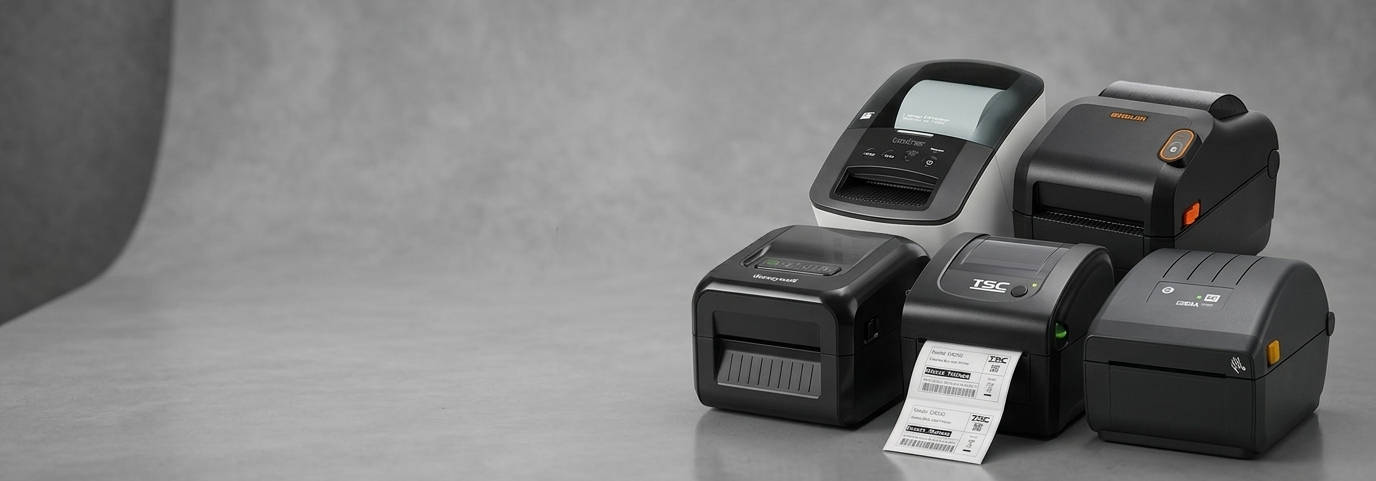
Here's the thing nobody tells you upfront. "ID card printer" isn't really one category of machine. It's a spread of devices that range from a compact desktop unit that prints a hundred cards a month to an industrial-grade retransfer printer built for a university issuing thousands of student cards a semester. Buy the wrong one, and you'll either overpay for capacity you'll never use, or you'll be stuck reprinting cards twice because the first batch smudged.
So let's actually work through this properly.
If you're a small office issuing the occasional staff or access card
You don't need Ethernet, dual-sided printing, or an encoder module you'll never touch. The Zenius Classic USB Colour Plastic Card Printer is where most small teams land, and for good reason — it's a single-sided, USB-only unit at 300 dpi that handles staff badges and simple access cards without asking you to think about it. Plug it in, load a ribbon, print. If your office is under, say, fifty people and you print cards a handful of times a month, this is genuinely enough of a machine.
Need networking down the line, or planning to add more workstations? The Zenius EXPERT USB & Ethernet Colour Plastic Card Printer comes bundled with ribbon, cards, design software, and a cleaning kit — worth it if you'd rather not chase down consumables separately in week one.
If you're a school, gym, or membership-based business
This is where double-sided printing starts to matter. Membership cards, student IDs, and access passes often carry information on both sides — photo and name on the front, terms or a barcode on the back. Trying to force that through a single-sided printer means running cards through twice, which is slow and invites misalignment.
The Primacy Duplex Expert, USB & Ethernet Dual Side Printer handles both sides in one pass. And if you're issuing enough cards that a production run matters — orientation weeks, new member intakes — the Primacy 2 Duplex Expert Printer comes as a full production pack with 100 PVC cards and a 200-print ribbon already included, so you're not placing three separate orders before you can print your first batch.
Zebra makes a strong case here too. The ZEBRA ZC300 Dual Sided Printer is a common pick for schools specifically because Zebra's driver support tends to play nicely with existing Windows environments — less of a headache for whoever's managing IT alongside everything else.

If you're issuing visitor badges that get reused constantly
Front-desk visitor management is a different problem entirely. You're not archiving these cards. Someone signs in, wears a badge for four hours, hands it back, and by Thursday you've burned through a stack of blank cards and ribbon for something that gets thrown in a drawer.
The EVOLIS Tattoo2 RW with Contactless Card Encoding Module solves this properly — it's a rewritable printer, so the same card gets erased and reprinted hundreds of times instead of being tossed. Reception desks and construction sites managing daily contractor access tend to get the most out of this one.
If security and volume actually matter
Government offices, healthcare facilities, and large corporates issuing access-controlled ID cards are working with a different risk profile. A cloned or easily-forged badge is a real liability, not just an inconvenience.
The Zebra ZXP8N USB/ETH Single-Sided Card Printer and its sibling, the Zebra ZXP Series 7, print at photo quality with lamination and encoding options built in, which matters when a card needs to resist tampering, not just look presentable.
For institutions issuing genuinely high volumes — think universities running thousands of student ID cards a year, or organisations that need smart card and contactless encoding built into the same device — the Avansia Duplex Retransfer Printer uses retransfer printing technology rather than direct-to-card, which gives you edge-to-edge colour without the white borders you sometimes get on cheaper machines. It's a bigger upfront spend. It's also built to run daily without complaint, which matters more than the sticker price once you're issuing cards at scale.
Don't forget what keeps the printer running
A card printer without ribbons and blank cards is a very expensive paperweight, and this is the part people forget when they're budgeting. Stock up on card printer ribbons matched to your specific model, and check the plastic cards range for PVC, PVC composite, or ABS stock depending on how much handling and bending the cards will take. If you're running a duplex or encoding setup, the accessories range covers cleaning kits and encoder add-ons that extend the life of the printer itself.
So which one do you actually buy?
If you're printing under a hundred cards a month for internal staff use, don't overspend — the Zenius Classic covers it. If both sides of the card carry information, skip anything single-sided and go straight to a duplex model. If cards get reused daily at a front desk, a rewritable printer will pay for itself within a year in ribbon and card savings alone.
And if you're issuing IDs where security is non-negotiable, the retransfer and high-end Zebra models are worth the extra spend precisely because they're built not to be the weak point in your access system. Match the printer to how often you'll actually use it, not to the longest feature list on the page.
Comments