
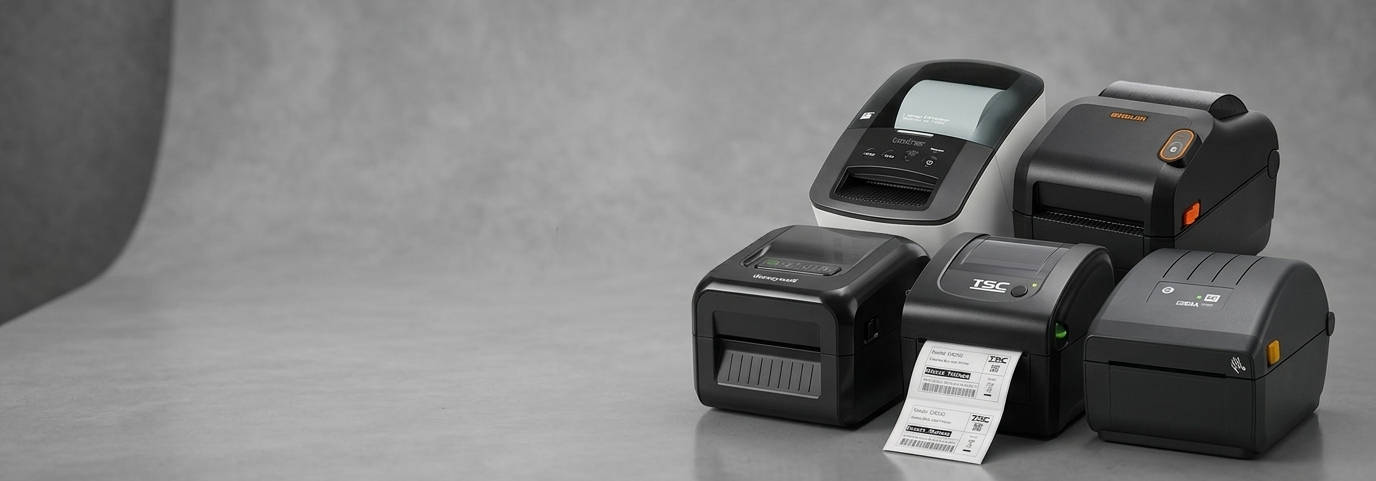
How Zebra Printer Solutions Improve AU Retail Operations Fast

Introduction: The Everyday Retail Challenge
Running a retail business in Australia often means juggling speed, accuracy, and customer expectations all at once. From managing inventory to printing labels and receipts, even small inefficiencies can slow down operations.
Many small business owners face issues like unclear product labels, slow checkout processes, and stock mismatches. These problems not only affect productivity but also impact the overall customer experience.
This is where reliable printing solutions step in. Tools like Zebra Printers are designed to simplify everyday retail tasks and reduce operational friction without adding complexity.
Why Efficient Printing Matters in Retail
In modern retail, every second counts. Whether you run a boutique store, warehouse, or multi-location shop, smooth operations depend heavily on accurate and fast printing.
Key reasons printing solutions matter:
Faster checkout: Clear receipts and labels speed up transactions
Better inventory control: Accurate barcode labels reduce errors
Improved customer trust: Professional output enhances brand perception
Operational consistency: Standardised printing avoids confusion across teams
Without the right system in place, even simple processes like labeling shelves or tracking stock can become time-consuming.

What Makes Zebra Printers Useful for Retail?
Designed for High-Volume Environments
Retailers often need to print hundreds of labels daily. A Zebra Printer is built to handle continuous usage without compromising performance.
For example, a small grocery store restocking shelves multiple times a day can rely on consistent label output without delays.
Easy Integration with POS Systems
Most modern retail setups use POS software for billing and inventory. Zebra printing solutions are known for working smoothly with these systems.
This means:
No complicated setup
Minimal training required
Faster adoption by staff
Even growing businesses transitioning from manual processes find it easier to adapt.
Versatility Across Retail Use Cases
Zebra printing tools are not limited to one function. Retailers can use them for:
Barcode labels
Price tags
Shipping labels
Inventory tracking
This flexibility makes Zebra Printers a practical choice for businesses handling both in-store and online orders.
Real-World Example: A Small Retail Store in Australia
Imagine a local fashion retailer in Melbourne managing both walk-in customers and online orders.
Before upgrading their system:
Labels were printed inconsistently
Inventory errors were common
Order processing was slow
After implementing a streamlined printing setup:
Barcode labels became standardised
Stock tracking improved significantly
Order fulfilment became faster
This kind of transformation shows how the right tools can simplify operations without adding complexity.
How Zebra Printer Solutions Improve Retail Efficiency
1. Faster Label Printing
Speed is critical during peak hours. Zebra devices print labels quickly, helping staff stay productive even during busy periods.
2. Reduced Human Errors
Manual labeling often leads to mistakes. Automated printing ensures:
Correct product details
Accurate pricing
Reliable barcode scanning
This directly improves inventory accuracy.
3. Better Inventory Visibility
With clear and scannable labels, businesses can track stock levels more efficiently. This reduces:
Overstocking
Stockouts
Misplaced items
4. Support for Multi-Channel Retail
Retailers selling both in-store and online need consistent systems. Zebra solutions help unify:
Order processing
Shipping workflows
Product labeling
This is especially useful for businesses expanding into e-commerce.
Things to Consider Before Choosing a Printing Solution
Not all printers are the same. When exploring options like a Zebra Printer for Sale, it’s important to assess your business needs first.
Consider these factors:
Print volume: Daily label requirements
Connectivity: USB, Wi-Fi, or Bluetooth support
Print type: Direct thermal vs thermal transfer
Workspace size: Compact vs industrial models
Taking time to evaluate these factors ensures long-term efficiency.
Best Practices for Using Zebra Printers in Retail
Keep Your Workflow Simple
Avoid overcomplicating processes. Standardise label formats and train staff on basic usage.
Maintain Your Equipment
Regular cleaning and proper handling can extend the life of your printer and ensure consistent output.
Use Quality Labels and Supplies
Poor-quality materials can affect print clarity and durability. This is especially important for barcodes.
Train Your Team
Even user-friendly tools require basic training. Ensure your staff understands:
How to load labels
Basic troubleshooting
Printing from POS systems
Where Do Businesses Source These Solutions?
Retailers often explore different options when they plan to Buy Zebra Printer Online. It’s important to choose a reliable supplier that understands business needs and offers proper support.
In Australia, providers like POS Central are commonly referenced for POS hardware solutions, including printing systems, as they cater specifically to retail environments.
Future Trends in Retail Printing
Smart Integration with Cloud Systems
Retail systems are moving toward cloud-based platforms. Printing solutions are expected to integrate more seamlessly with these tools.
Mobile Printing for Flexibility
Portable printers are becoming popular among retailers who need flexibility on the shop floor or in warehouses.
Sustainability Focus
Businesses are becoming more conscious about reducing waste. Efficient printers that minimise label wastage are gaining attention.
Automation and AI Support
Future systems may automate label generation based on inventory changes, reducing manual intervention even further.
Conclusion
Efficient retail operations rely on small but crucial details—like accurate labeling and fast printing. For Australian small businesses, improving these processes can lead to better productivity, fewer errors, and smoother customer experiences.
Solutions like Zebra Printers help simplify everyday tasks without overwhelming teams. By focusing on reliability, ease of use, and integration, businesses can create a more efficient workflow that supports long-term growth.
FAQs
1. What are Zebra Printers used for in retail?
They are mainly used for printing barcode labels, price tags, and shipping labels to improve inventory and checkout processes.
2. Are Zebra Printers suitable for small businesses?
Yes, they are designed to support both small and large operations, making them practical for growing retail businesses.
3. How do Zebra Printers improve inventory management?
They create clear, scannable labels that reduce errors and make stock tracking more accurate.
4. Is it easy to set up a Zebra Printer with a POS system?
Most models integrate easily with modern POS systems, requiring minimal technical setup.
5. What should I check before choosing a Zebra Printer?
Consider print volume, connectivity options, space requirements, and your specific retail needs.
6. Can I use Zebra Printers for online order fulfilment?
Yes, they are commonly used for printing shipping labels and managing eCommerce orders efficiently.
Comments