
Direct Thermal Printing Labels: Meaning, Benefits & Printer Types

Labels play a quiet but important role in everyday business tasks. From shipping parcels to tagging products and managing inventory, the right label makes work faster and more accurate. One popular choice across retail, logistics, healthcare, and warehouses is direct thermal printing labels. These labels are known for their speed, simplicity, and cost-effectiveness.
In this guide, we’ll break down what direct thermal printing labels are, how they work, their key benefits, and the different printer types available. The goal is to help you understand whether this labeling solution fits your daily business needs.
What Are Direct Thermal Printing Labels?
Direct thermal printing labels are labels that produce images and text without using ink, toner, or ribbons. Instead, they rely on heat. The label paper is specially coated to react when it passes under a heated print head. Wherever heat is applied, the label darkens to form text, barcodes, or images.
Because there are fewer parts involved, direct thermal label printers are widely used in environments where speed and ease of use matter more than long-term label life.
These labels are commonly seen on:
Shipping and courier labels
Price tags
Food packaging labels
Event tickets and receipts
How Does a Direct Thermal Printer Work?
A direct thermal printer works in a very straightforward way. When you send a print command, the printer heats specific points on the label surface. The heat triggers a chemical reaction in the label coating, creating clear text or images.
There’s no ink to replace and no ribbon to manage. This simple process makes direct thermal label printers easy to maintain and ideal for fast-paced workspaces.
Because the print relies on heat-sensitive material, the labels are best suited for short-term use. Over time, exposure to sunlight, heat, or friction can cause the print to fade.

Key Benefits of Direct Thermal Printer Labels
Businesses choose direct thermal solutions for many practical reasons. Below are some of the most valued benefits.
1. Low Operating Costs
Since there’s no ink or ribbon involved, ongoing expenses are lower. You only need the printer and the labels.
2. Easy to Use
Direct thermal printers are simple to set up and operate. This makes them suitable even for teams with minimal training.
3. Fast Printing Speed
These printers are built for speed, which is especially useful in shipping, retail checkouts, and warehouses.
4. Minimal Maintenance
With fewer moving parts, direct thermal label printers require less maintenance and experience fewer breakdowns.
5. Compact Design
Many models, especially a desktop thermal label printer, fit easily on counters or workstations without taking up much space.
Types of Direct Thermal Label Printers
Not all label printers are the same. Choosing the right one depends on your work volume, space, and usage needs.
Desktop Direct Thermal Label Printers
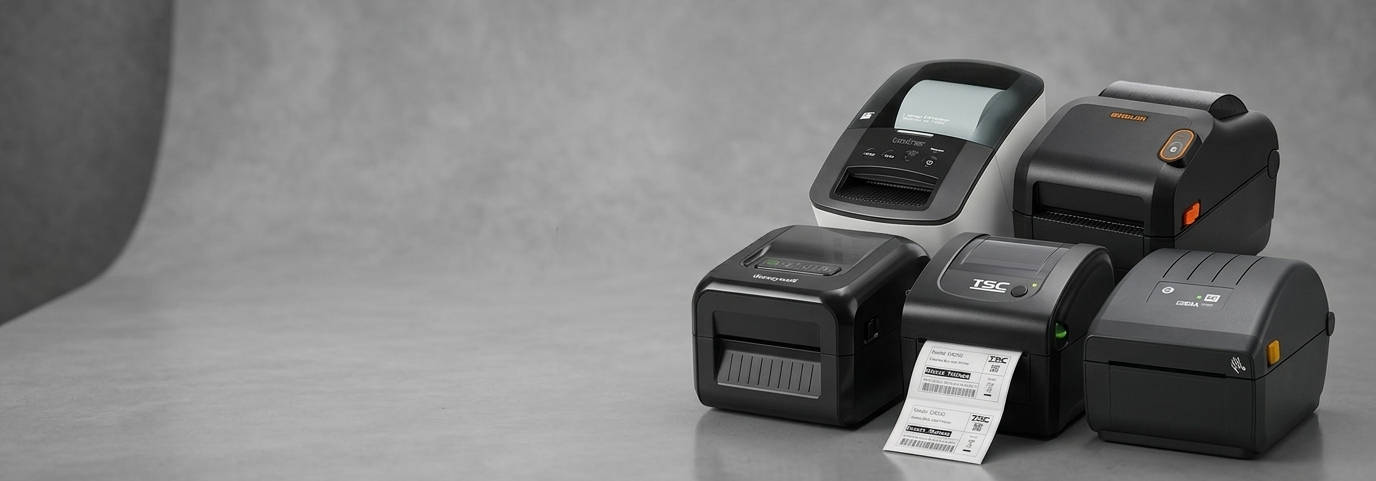
A desktop thermal label printer is ideal for small to medium businesses. These printers handle daily labeling tasks like price tags, shipping labels, and product stickers.
They are commonly used in:
Retail stores
Offices
Clinics
Small warehouses
Desktop models are compact, affordable, and easy to operate, making them a popular choice for growing businesses using desktop direct thermal labels.
Industrial Direct Thermal Label Printers
For high-volume environments, industrial printers are built to last. They handle continuous printing and larger label rolls without slowing down.
These are often found in:
Distribution centers
Manufacturing units
Large logistics hubs
Mobile Direct Thermal Printers
Mobile printers are portable and battery-powered. They’re useful for on-the-go labeling, such as deliveries, field services, and mobile ticketing.
Common Uses of Direct Thermal Printing Labels
Direct thermal printing labels are designed for efficiency, making them suitable for many short-term labeling needs.
Some common applications include:
Shipping and courier labels
Inventory and warehouse labels
Shelf and price labels
Food packaging labels
Event passes and tickets
In fast-moving environments, the speed and reliability of direct thermal label printers help teams stay productive without delays.
Direct Thermal vs Thermal Transfer: A Quick Comparison
Many buyers wonder how direct thermal printing compares to thermal transfer printing. Here’s a simple comparison to help you decide.
Direct Thermal Printing
No ink or ribbon needed
Lower upfront and running costs
Best for short-term labels
Thermal Transfer Printing
Uses a ribbon to print on labels
More durable and long-lasting
Better for labels exposed to heat, sunlight, or moisture
If your labels are used temporarily, direct thermal printing labels are often the smarter and more economical option.
How to Choose the Right Direct Thermal Label Printer
Before selecting a printer, consider these questions:
How many labels do you print daily?
Do you need a compact desktop model or a heavy-duty printer?
Are the labels for short-term or long-term use?
Will the printer be used in one place or moved around?
Answering these questions helps narrow down whether a desktop thermal label printer or a larger unit is right for you.
Why Businesses Continue to Choose Direct Thermal Solutions
Direct thermal printers have remained popular because they solve real business problems. They reduce costs, save time, and simplify daily operations. For businesses that rely on speed and accuracy, direct thermal printer labels provide a dependable solution without unnecessary complexity.
As labeling needs grow, these printers scale easily, especially when paired with the right label sizes and materials.
Direct thermal printing labels offer a simple, efficient, and budget-friendly way to handle everyday labeling tasks. With easy operation, fast output, and minimal maintenance, they are well-suited for retail, logistics, healthcare, and office use. Choosing the right printer type ensures smoother workflows and better results, helping businesses stay organized and efficient with support from POS Central.


Comments