
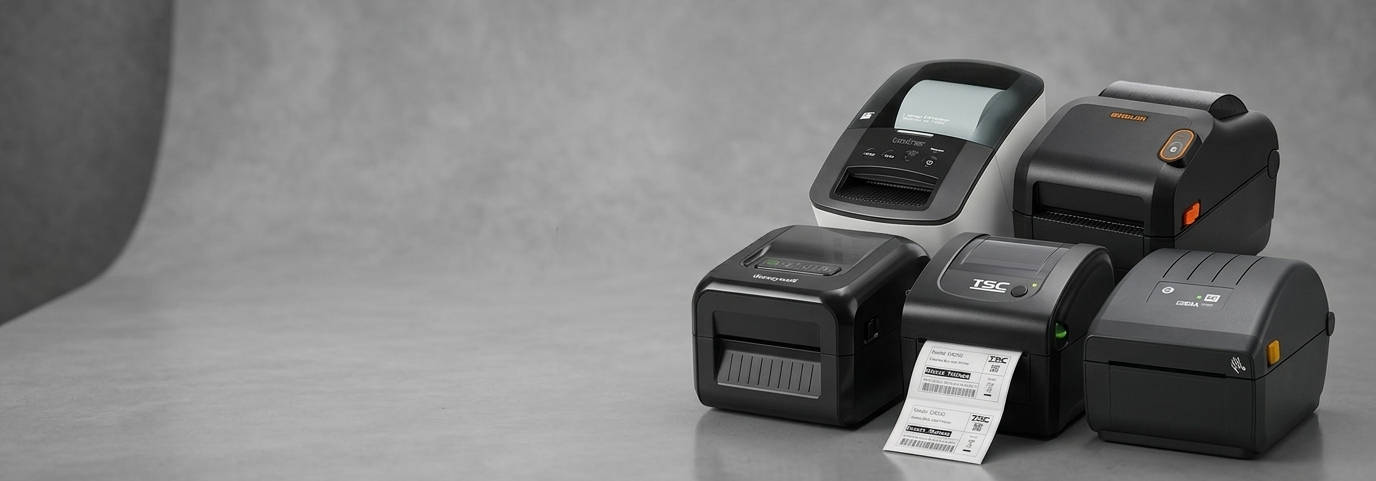
Best Label Printer for Product Labeling in Shops

Running a shop means keeping many moving parts in order—from stocking shelves to helping customers find what they need. One small tool that makes a surprisingly big impact is a Label Printer. Whether you sell clothing, snacks, beauty items, or home goods, clear and consistent labeling keeps your store organised and gives shoppers the confidence to buy. But with so many models available, how do you choose the best label printer for product labeling in shops?
This guide walks you through what matters the most. It breaks down the features you actually need, the common mistakes to avoid, and how to choose a printer that fits your daily work without making things complicated. By the end, you’ll know exactly what to look for and which type of printer will support your shop’s goals.

Why Every Shop Needs a Good Label Printer
Labels may be small, but they play a major role in the shopping experience. Clear labels help customers quickly understand what they’re buying. They also help you keep track of stock, pricing, and product details without relying on guesswork.
A reliable Label Printer ensures:
Smooth daily operations
Faster pricing and restocking
Clean, professional-looking labels
Less manual writing
Better accuracy and fewer errors
When labels look neat and consistent, your store feels more organised. This reduces confusion for both your team and your customers.
What Makes a Label Printer Good for Shops?
Not all printers are designed for retail needs. Some are made for offices, some for warehouses, and some for personal use. Shops need something in the middle—fast, simple, and dependable.
Here are the qualities that matter most:
1. Ease of Use
A shop-friendly Label Printer should be easy to set up and operate. You shouldn’t need special training. Buttons, menus, and connectivity should feel straightforward. If you can print a test label within a few minutes of unboxing, that’s a good sign.
2. Fast Printing
Shops move quickly—especially during busy hours. When you’re restocking shelves, changing prices, or printing new labels on the spot, speed matters. Look for a printer that can produce labels quickly without slowing you down.
3. Clear, Readable Printing
The whole purpose of a label is clarity. Your printer should produce text and barcodes that are easy to read. Blurry or faded printing can lead to scanning issues or confusion for shoppers.
4. Compact Design
Retail counters are often crowded with POS systems, receipt printers, cash drawers, and displays. A compact Label Printer fits comfortably without taking up valuable space.
5. Long-Lasting Labels
Shops need labels that don’t smudge or fade. Shelves may be touched frequently, and products may be moved around. Look for printers that create durable labels with long-lasting print quality.
Types of Label Printers Suitable for Shops
Different shops have different needs. Here are the most common types and when to choose them.
1. Direct Thermal Label Printers
These printers use heat to print labels, removing the need for ink or toner. They’re fast, cost-effective, and ideal for pricing labels, shelf labels, and short-term product tags.
Perfect for:
Grocery stores
Convenience shops
Fashion stores
Gift shops
2. Thermal Transfer Label Printers
These printers use a ribbon to create long-lasting labels. The labels resist fading and withstand handling, making them suitable for products stored under bright lights or touched often.
Perfect for:
Cosmetic shops
Electronics stores
Hardware stores
Shops needing long-life labels
3. Portable Label Printers
Lightweight and mobile, these are great for shops with large floor areas or frequent re-arrangement of products. You can print labels while standing right next to the shelves.
Perfect for:
Furniture stores
Home décor shops
Warehouses with a retail section
How to Choose the Best Label Printer for Your Shop
Choosing the best label printer for product labeling in shops doesn’t have to feel overwhelming. Here’s a simple way to narrow it down.
1. Match the Printer to Your Labeling Needs
Ask yourself what type of labels you print most often:
Pricing labels?
Shelf tags?
Product name labels?
Barcodes?
Sale-event labels?
A direct thermal model may be enough for short-term labels, while product labels that stay on items longer may benefit from thermal transfer printing.
2. Consider How Many Labels You Print Every Day
High-volume printing requires a faster, more durable printer. Small boutique shops that print 20–50 labels a day may only need a simple compact device. Busy stores printing hundreds of labels daily need something more robust.
3. Check Compatibility with Your Systems
Many Label Printers work with laptops, desktops, or POS systems. Some also work through Bluetooth or mobile apps. Choose a model that connects easily with the devices your team already uses.
4. Look for Simple Maintenance
A good shop tool shouldn’t add new problems to your day. Choose a printer with easy label loading, simple cleaning, and parts that last.
5. Understand the Total Cost
Beyond the price of the printer, check the cost of label rolls or ribbons. Direct thermal labels are usually cheaper, while thermal transfer labels last longer. Choose the option that fits both your workflow and your budget.
Popular Features That Make Label Printing Easier
When comparing different models, these features often make a big difference in everyday use:
Quick label roll replacement
High print clarity for barcodes
Support for different label sizes
Quiet operation
Sturdy build quality
USB, Ethernet, or Bluetooth support
You don’t need all features, but the right combination makes your work smoother and more organised.
Signs You’re Using the Wrong Label Printer
If you’re unsure whether your current setup is right, watch for these signs:
Labels smudge or fade quickly
Printer jams often
Labels take too long to print
Text or barcodes come out unclear
The printer takes up too much counter space
Setup feels confusing or slow
If you’ve nodded to two or more signs, upgrading your Label Printer may be the right move.
How Good Labeling Improves the Shopping Experience
A simple label does more than display a price. It guides the shopper. In a well-labeled store:
Customers trust the information
Products look more organised
The store feels more professional
Staff members restock faster
Shoppers spend less time asking for help
Good labeling strengthens the flow of the whole shop, making each visit smoother and more enjoyable.
Final Thoughts
Finding the best label printer for product labeling in shops is about understanding your day-to-day needs and choosing a model that supports your workflow. A good Label Printer should feel like a quiet partner in your business—steady, helpful, and easy to rely on during busy moments.
If you’re ready to compare high-quality options, reliable models, and trusted brands, you can explore a full range of Label Printers at the link below. For a smooth shopping experience and dependable products, you can get started at POS Central.


Comments